


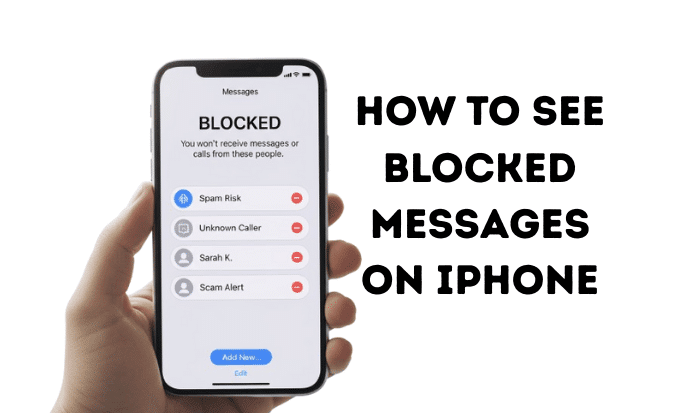
The Big Question: Can You Really See Blocked Messages on an iPhone?
Have you ever blocked a number and then felt a pang of curiosity? You start to wonder, “What if they sent me something important?” or “What did I miss?” It’s a common feeling, and you’ve probably searched for how to see blocked messages on iPhone, hoping for a secret folder or a hidden trick.
Let’s get straight to the point and answer the question that brought you here.
No, you cannot see messages that were sent to you while a number was blocked on your iPhone.
It might not be the answer you were hoping for, but it’s the truth. When you block a contact, you’re essentially telling your iPhone and your cellular carrier to put up a digital wall. Any messages or calls from that number are rejected before they ever reach your device.
Think of it like a bouncer at a club. If someone’s name is on the “not allowed” list, they don’t get in the door. You, inside the club, will never even know they tried to show up. Apple’s blocking feature works the same way to protect your privacy and peace of mind.
Expert Quote: According to Apple’s official support page, “When you block a phone number or contact, they can still leave a voicemail, but you won’t get a notification. Messages that are sent or received won’t be delivered.” This confirms the messages are stopped before they get to you. You can read more directly fromApple’s blocking guide.
Where Do Blocked Messages Go? The Digital Black Hole
So, if these messages don’t come to your phone, where do they go? The simple answer is nowhere. They vanish into a digital black hole.
- For the Sender: The person who is blocked doesn’t get a notification saying, “Your message was blocked.” From their end, an iMessage might not show the “Delivered” status beneath the blue bubble, which could be a clue. However, a standard SMS (green bubble) text may still appear to have gone through normally. They have no way of knowing for sure that you’ve blocked them.
- For You: There is no secret “blocked messages” folder on your iPhone. There’s no archive or junk box where these texts are stored. This is a core privacy feature—the point is to prevent unwanted communication from ever reaching you in any form.
So, if you’re asking, “Can I see if a blocked number tries to text me on my iPhone?” the answer is a definitive no. Your iPhone won’t keep a log or give you any notifications about the attempt.
While managing your contacts and messages, it’s always a good idea to keep your phone’s files organized. For example, many users find it helpful to learn how to convert picture to pdf on iphone to manage documents and receipts more efficiently.
The Real Fix: How to Manage Your Blocked List (5 Quick Steps)
While you can’t see past messages, you can control who is on your blocked list. The only “fix” for receiving messages from a blocked number is to unblock them. This will enable all future messages to be received.
Here’s how to find your blocked list and unblock a contact.
Step 1: Open Your Settings App
First things first. Find the gray gear icon on your home screen and tap it to open your iPhone’s Settings.
[Image: Screenshot of the iPhone home screen with the Settings app icon highlighted. Alt text: Opening iPhone Settings to start the process of seeing blocked contacts.]
Step 2: Scroll Down and Tap on “Messages”
In the Settings menu, you’ll need to scroll down a bit. Look for the green icon with a white speech bubble and tap on Messages.
[Image: Screenshot of the iPhone Settings menu with the “Messages” option circled. Alt text: Tapping on Messages in iPhone settings to find the blocked contacts list.]
Step 3: Find “Blocked Contacts”
Inside the Messages settings, scroll down to the section labeled “SMS/MMS.” You’ll see an option called Blocked Contacts. Tap on it.
[Image: Screenshot of the Messages settings screen, pointing to the “Blocked Contacts” button. Alt text: Locating the Blocked Contacts list within the Messages settings.]
Step 4: Review Your Blocked List
Here it is—the complete list of every phone number and email address you have ever blocked. Take a moment to review it. You might be surprised who you find on there! This is how to view blocked numbers on iPhone and manage them directly.
Step 5: Unblock the Contact
To unblock someone, simply find their name or number in the list and swipe left. A red Unblock button will appear. Tap it, and that contact will be removed from your blocked list immediately.
[Image: Screenshot showing how to swipe left on a contact in the Blocked Contacts list to reveal the “Unblock” button. Alt text: A demonstration of how to unblock a number on an iPhone.]
Key Takeaway: Unblocking a number does not retrieve old messages. Any texts sent while the number was blocked are gone forever. Unblocking only opens the door for new messages to be delivered to your device. This is the answer to the common question, “Can you see blocked messages on iPhone after unblocking?“
What Happens After You Unblock Someone?
The moment you tap that “Unblock” button, the digital wall comes down.
- New Messages: You will immediately be able to receive new text messages (both iMessage and SMS) from that person.
- Phone Calls: Their phone calls will now ring on your phone as usual.
- FaceTime: FaceTime calls and requests will also come through.
Again, there is no flood of old messages. Your message history with that person will pick up right from the moment you unblock them. The past communication gap will remain empty. Sometimes, phone glitches can happen during these processes. If your device ever freezes up, knowing how to turn off iphone without screen is an incredibly useful trick.
Is the Process the Same on all iPhones and iOS Versions?
Whether you’re trying to figure out how to see blocked messages on iPhone 14, an older iPhone 11, or even a brand new model, the principle is the same. The inability to view past blocked messages is a fundamental part of Apple’s iOS software, not a feature of a specific phone model.
The steps to find your blocked list are nearly identical across recent iOS versions, including how to see blocked messages on iPhone iOS 15 and newer.
Here’s a quick breakdown:
| iPhone Model / iOS Version | Can you view past blocked messages? | How to Unblock |
| iPhone 14 / 13 Pro Max (iOS 16, iOS 17) | No | Settings > Messages > Blocked Contacts |
| iPhone 13 (iOS 15, iOS 16) | No | Settings > Messages > Blocked Contacts |
| iPhone 11 / 12 (iOS 14, iOS 15) | No | Settings > Messages > Blocked Contacts |
As you can see, the functionality is consistent. Apple has designed this feature to give users full control over who can contact them, and that design involves permanently stopping unwanted messages. The privacy features built into the iPhone are a major part of its design, and it’s interesting to learn about how much does it cost to make an iphone when you consider the complex hardware and software working together.
A Quick Word on Safety and Privacy
Before you rush to unblock a number, take a moment to pause and think. You likely blocked that number for a good reason.
- Was it for your mental health?
- Was the person harassing you?
- Was it just a persistent spam number?
Your digital safety and peace of mind are important. Don’t feel pressured to unblock someone out of curiosity alone. If unblocking them could lead to harmful interactions, it’s better to keep that digital wall up. Trust your instincts.
What People Are Saying on Reddit
If you search for “how to see blocked messages on iPhone Reddit,” you’ll find countless threads from users asking the same questions. The community consensus overwhelmingly confirms what we’ve discussed:
- Users consistently report that you cannot retrieve messages sent while a contact was blocked.
- Many threads turn into discussions about the ethics and reasons for blocking and unblocking.
- Some users suggest “workarounds” like asking the person to resend the messages, but there are no technical tricks or hacks to see them on your device.
The discussions on sites like Reddit and 9to5Mac show that this is a common point of confusion, but the functionality of blocking on iOS is firm and has remained unchanged for years.
Frequently Asked Questions (FAQs)
1. Can I see text messages from someone I blocked on my iPhone?
No, you cannot. When you block someone, their messages are not delivered to your phone. There is no folder or location where these blocked messages are stored.
2. How do I retrieve blocked text messages on my iPhone?
Unfortunately, it is not possible to retrieve text messages that were sent while the sender was on your blocked list. The messages were rejected by your carrier’s server before they ever reached your iPhone, so they don’t exist on your device to be retrieved.
3. If I unblock someone, will their old messages appear?
No. Unblocking a contact will only allow you to receive new messages and calls from them from that moment forward. It will not make any previously blocked messages appear in your conversation history.
4. Does the person I blocked know they are blocked?
Not directly. The sender does not receive a “You have been blocked” notification. However, if they use iMessage, they may notice their messages are not marked as “Delivered.” For standard SMS texts, it will likely look normal on their end, so they may not know.
5. Are there any apps that can show me blocked messages?
No. Be very wary of any third-party apps or services that claim they can show you blocked messages. These are often scams designed to compromise your privacy or install malware on your device. This functionality is controlled at the operating system level, and no app can bypass it.
Conclusion: Moving Forward with Your Messages
So, while the quest for how to see blocked messages on iPhone ends with the realization that it’s not possible, you are now fully in control of the situation. You know exactly how the blocking feature works, why it’s designed for your privacy, and how to manage it effectively.
The key takeaway is simple: you can’t change the past, but you can decide who gets to message you in the future. By following the 5 quick steps to access your Blocked Contacts list, you can easily unblock a number and reopen the lines of communication—but only if you feel it’s the right and safe choice for you.
Have you ever been curious about messages you might have missed? Share your thoughts or ask more questions in the comments below!

