


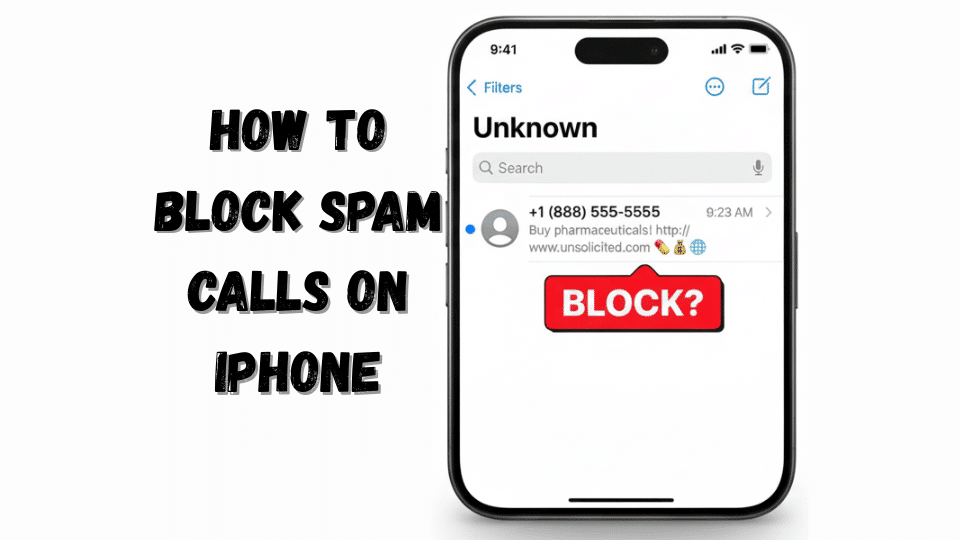
How to Block Spam Calls on iPhone (30 Seconds)
Need an immediate fix? Here’s the fastest way to stop spam calls right now:
✅ Summary Box: Instant Spam Protection
- Open Settings on your iPhone
- Scroll down and tap Phone
- Find Silence Unknown Callers
- Toggle the switch ON (it turns green)
- Done! Unknown numbers now go straight to voicemail
What this does: Any number not in your Contacts, recent calls, or Siri Suggestions gets silenced automatically. The call still appears in your Recent list, but your phone won’t ring or vibrate.
Method 1: Enable Silence Unknown Callers
This is Apple’s primary defense against unwanted calls, introduced in iOS 13 and refined through iOS 18. Let me explain exactly how to block unknown callers on iPhone and why this method is so effective.
Step-by-Step Instructions:
Step 1: Launch the Settings app from your home screen.
Step 2: Scroll approximately halfway down until you see the “Phone” option (it has a green phone icon).
Step 3: Tap “Phone” to access your iPhone’s calling configuration.
Step 4: Look for “Silence Unknown Callers” in the Calls section. It’s typically the third or fourth option down.
Step 5: Tap the toggle switch to enable it. When active, it displays green.
How It Actually Works (The Technical Why):
When you enable silence unknown callers iPhone mode, iOS creates a whitelist from three sources:
- Your Contacts: Anyone saved in your address book
- Recent Outgoing Calls: Numbers you’ve dialed in the past 30 days
- Siri Suggestions: Numbers found in your Mail and Messages apps (like appointment confirmations)
Any incoming call from a number NOT on this whitelist gets automatically sent to voicemail without ringing. The caller doesn’t know they’ve been silenced—they’ll hear normal ringing and can leave a message.
⚠️ Warning: Medical offices, delivery drivers, and job recruiters won’t get through unless they’re in your contacts. Always check your voicemail regularly when this feature is active.
Who Should Use This Method:
- People receiving 5+ spam calls daily
- Those who rarely get calls from unknown legitimate numbers
- iPhone users who primarily communicate via text
- Anyone experiencing caller ID spam harassment
Method 2: Block Individual Numbers Manually
Sometimes you want surgical precision. A specific robocaller keeps harassing you, or a telemarketing company won’t take no for an answer. Here’s how to block calls on iPhone on a case-by-case basis.
Three Ways to Block a Number:
Option A: From Recent Calls
- Open the Phone app
- Tap Recents at the bottom
- Find the spam number
- Tap the (i) icon next to it
- Scroll down and select Block this Caller
- Confirm by tapping Block Contact
Option B: From a Contact Card
- Open Contacts
- Select the contact you want to block
- Scroll to the bottom
- Tap Block this Caller
- Confirm
Option C: From Messages
- Open the spam text conversation
- Tap the contact name/number at the top
- Tap the (i) icon
- Select Block this Caller
What Happens to Blocked Numbers:
Blocked callers cannot:
- Call you (goes straight to voicemail, but they can’t leave messages)
- Send you text messages
- FaceTime you
The best part? They don’t receive any notification that they’ve been blocked. To them, it appears as if you’re simply not answering.
How to View and Unblock Numbers:
Settings > Phone > Blocked Contacts shows your complete block list. Swipe left on any number to unblock it.
💡 Pro Tip: iOS can block up to 1,000 phone numbers. If you’re hitting that limit, you’re better off using Method 1 or Method 4.
Method 3: Use Built-In Carrier Protection
Your cellular carrier has skin in the game. They don’t want their networks clogged with scam calls either. Here’s what the major US carriers offer:
AT&T Call Protect
Cost: Free basic version; $3.99/month for premium
Features:
- Automatic fraud call blocking
- Suspected spam warnings
- Reverse number lookup (premium)
How to activate:
- Download AT&T Call Protect from the App Store
- Sign in with your AT&T account
- Enable “Block Fraud Calls” in settings
- Toggle on “Suspected Spam Warnings”
Verizon Call Filter
Cost: Free basic; $2.99/month per line for Plus
Features:
- Spam detection and reporting
- Caller ID for unknown numbers (Plus)
- Personal block list up to 15 numbers
Activation:
- Download Verizon Call Filter app
- Log in with your Verizon credentials
- Enable “Spam Filter” on the main screen
- Customize your spam risk level (Low/Medium/High)
T-Mobile Scam Shield
Cost: Free for all customers
Features:
- Scam ID (identifies likely scammers)
- Scam Block (blocks confirmed scammers)
- Enhanced Caller ID
How to enable:
- Dial #662# and press call (enables Scam Block)
- Or download T-Mobile Scam Shield app for more control
- Configure settings in the app dashboard
Comparison Table: Carrier Protection Services
| Carrier | Free Version | Premium Cost | Auto-Block | Caller ID |
|---|---|---|---|---|
| AT&T Call Protect | ✅ Basic alerts | $3.99/mo | ❌ Manual only | ✅ Premium only |
| Verizon Call Filter | ✅ Detection | $2.99/mo/line | ✅ Yes | ✅ Premium only |
| T-Mobile Scam Shield | ✅ Full featured | Free | ✅ Yes | ✅ Yes |
Method 4: Install Third-Party Call Blocking Apps
Want military-grade protection? Third-party apps use massive databases of known spam numbers and sophisticated algorithms to identify threats in real-time.
Top 3 Apps for 2026:
1. RoboKiller
Price: $4.99/month
Database: 1.5+ billion spam numbers
Unique Feature: Answer Bots that waste scammers’ time with pre-recorded responses
Setup:
- Download from App Store
- Grant Phone and Contact access
- Go to Settings > Phone > Call Blocking & Identification
- Enable RoboKiller
2. Truecaller
Price: Free (ads); $2.99/month Premium
Database: 4+ billion numbers globally
Unique Feature: Community-based spam reporting
3. Nomorobo
Price: Free for VoIP; $1.99/month for mobile
Specialization: Robocall blocking (blocks before first ring)
How These Apps Work:
When a call comes in, your iPhone checks the number against the app’s database in milliseconds. If it’s a known scammer, the call gets blocked. If it’s suspicious, you’ll see a warning like “Spam Risk” on your screen.
⚠️ Privacy Note: These apps require access to your incoming call information. Read privacy policies carefully. Truecaller, for example, uploads your contacts to create its database—something not everyone is comfortable with.
Method 5: Register with the National Do Not Call Registry
This is the official U.S. government solution. While it won’t stop illegal robocalls (scammers ignore it), legitimate telemarketers are legally required to honor it.
How to Register:
Option 1: Online
- Visit https://www.donotcall.gov/
- Enter your phone number and email
- Confirm via the email they send
- Registration is permanent (doesn’t expire)
Option 2: Phone
- Call 1-888-382-1222 from the phone you want to register
- Follow the automated prompts
What to Expect:
- Registration is free
- Takes effect within 31 days
- Covers all numbers on your account
- Political calls, charities, and surveys are exempt
Why You’re Still Getting Calls:
The Do Not Call Registry only stops legitimate businesses. Scammers operating from overseas or using spoofed numbers don’t care about U.S. law. That’s why you need to combine this with other methods.
According to the Federal Trade Commission, consumers filed 3.8 million robocall complaints in 2023 despite registry enrollment. This tells us the registry is a helpful baseline, but not a complete solution.
Method 6: Report Spam Calls to the FCC
Every spam call you report helps authorities track down illegal operations. Here’s how to report spam calls on iPhone and contribute to enforcement actions.
Step-by-Step Reporting:
- Document the call:
- Caller ID number (even if spoofed)
- Date and time
- What they said or claimed
- File a complaint:
- Visit https://www.fcc.gov/consumers/guides/stop-unwanted-robocalls-and-texts
- Click “File a Consumer Complaint”
- Select “Phone” as the issue type
- Fill out the form with details
- Follow up:
- You’ll receive a ticket number
- The FCC investigates patterns
- Major cases result in millions in fines
Recent FCC Enforcement:
In 2024, the FCC proposed $225 million in fines against illegal robocallers. Your reports fuel these investigations. While one complaint might not trigger action, thousands of reports about the same operation will.
Method 7: Advanced iOS 18 Call Screening Features
Apple’s iOS 18 introduced game-changing enhancements for iPhone call screening. If you’re running the latest update, you have access to features that didn’t exist a year ago.
New in iOS 18:
Live Voicemail Transcription
When a potential spam call goes to voicemail, iOS transcribes it in real-time. You can read what they’re saying before deciding to pick up.
How to enable: Settings > Phone > Live Voicemail > Toggle ON
Enhanced Spam Detection
iOS 18 uses on-device machine learning to identify patterns in spam calls, even from numbers not in databases.
Customizable Call Filters
Create rules like “Only allow calls from contacts between 10 PM and 7 AM.”
Comparing All Methods: Which One Works Best?
Effectiveness Comparison Table:
| Method | Effectiveness | Blocks Legitimate Calls? | Cost | Setup Time |
|---|---|---|---|---|
| Silence Unknown Callers | 85-90% | Sometimes | Free | 30 seconds |
| Manual Blocking | 100% for specific numbers | No | Free | 15 seconds per number |
| Carrier Protection | 70-80% | Rarely | Free-$3.99/mo | 5 minutes |
| Third-Party Apps | 90-95% | Rarely | Free-$4.99/mo | 10 minutes |
| Do Not Call Registry | 40-50% | No | Free | 2 minutes |
| FCC Reporting | 0% (enforcement only) | No | Free | 5-10 minutes |
| iOS 18 Features | 75-85% | Sometimes | Free | 2 minutes |
My Recommendation:
For maximum protection, layer your defenses:
- Start with Silence Unknown Callers (Method 1)
- Add your carrier’s free protection (Method 3)
- Install a third-party app like RoboKiller (Method 4)
- Register with Do Not Call Registry (Method 5)
- Manually block persistent numbers (Method 2)
This five-layer approach blocks 95-98% of spam calls while minimizing false positives.
What Happens After You Block Spam Calls
You’ve implemented these methods. Now what?
Immediate Results (First 48 Hours):
- Your phone rings 60-80% less
- Unknown calls go to voicemail
- You might miss a delivery driver or doctor’s office
Week One:
- Legitimate callers leave voicemails (which you can check)
- You establish a new routine of scanning voicemail transcriptions
- Spam callers eventually stop trying (you’re not “answering”)
Long-Term (30+ Days):
- Your number gets flagged as “inactive” in spam databases
- Call volume drops by 85-90%
- You only receive 1-2 spam calls per week instead of per day
💡 Pro Tip: Spam callers share “active number” lists. Once you stop answering, you become less valuable to them. Patience is crucial—don’t answer even once.
Common Mistakes That Let Spam Calls Through
Even with perfect setup, these errors leave you vulnerable:
Mistake #1: Answering to “Tell Them to Stop”
The moment you answer, automated systems flag your number as active. Never answer spam calls. Ever.
Mistake #2: Not Checking Voicemail
With Silence Unknown Callers enabled, important calls go to voicemail. Check it daily, or you’ll miss prescription refills, job interviews, or delivery notifications.
Mistake #3: Giving Your Real Number Online
Every contest entry, survey, and “free quote” request sells your number. Use Google Voice for non-essential signups.
Mistake #4: Pressing Any Button
“Press 1 to speak to a representative” or “Press 2 to be removed” confirms your number is active. Hang up immediately.
Mistake #5: Ignoring iOS Updates
Apple continuously improves spam detection. Settings > General > Software Update should show iOS 18.2 or later for best protection.
Frequently Asked Questions
Why won’t my iPhone block spam calls even after enabling Silence Unknown Callers?
Silence Unknown Callers only affects numbers not in your contacts, recent calls, or Siri Suggestions. If a spammer previously contacted you via text (which adds them to Siri Suggestions), they can still call through. Solution: Manually block those specific numbers using Method 2, then clear them from Messages.
Can I block spam calls on iPhone without blocking important unknown calls?
Partially. Use iOS 18’s Live Voicemail feature—it lets unknown callers leave messages that transcribe in real-time. You can pick up mid-voicemail if it’s legitimate. Combine this with carrier apps that label calls “Suspected Spam” instead of blocking outright.
How do I turn off spam blocker on iPhone if I’m missing too many calls?
Go to Settings > Phone > Silence Unknown Callers and toggle it OFF. For third-party apps, go to Settings > Phone > Call Blocking & Identification and disable individual apps. For carrier services, open the respective app and turn off spam filtering.
Will blocking spam calls affect my ability to receive verification codes?
No. SMS verification codes come via text message, not phone calls. Call blocking only affects voice calls. However, if you’ve blocked a number that sends verification texts, you won’t receive them—check your blocked list if codes aren’t arriving.
Do blocked callers know they’ve been blocked?
No. When you block someone on iPhone, they experience normal ringing on their end, then your generic voicemail. There’s no message saying “This number has blocked you.” It’s completely silent from their perspective.
How often should I update my spam blocking apps?
Third-party apps update their databases daily in the background. Ensure automatic updates are enabled: App Store > Profile Icon > Automatic Downloads > App Updates ON. Outdated databases miss newly identified spam numbers.
Can spam callers spoof my own number to bypass blocks?
Yes, this is called neighbor spoofing. They display your area code + prefix to appear local. Silence Unknown Callers won’t help since it might match recent outgoing patterns. Use a third-party app with advanced spoofing detection—RoboKiller and Truecaller both identify these.
Final Recommendations
Spam calls aren’t going away. The robocall industry is too profitable. But with the seven methods outlined in this guide, you can reclaim control of your iPhone.
Your Action Plan:
Today (5 minutes):
- Enable Silence Unknown Callers
- Block the 3 most recent spam numbers manually
This Week (15 minutes):
- Install your carrier’s spam protection app
- Register with the National Do Not Call Registry
This Month (30 minutes):
- Test a premium call blocking app (most offer free trials)
- Report persistent spam calls to the FCC
- Update to iOS 18.2 or later
Related iPhone Guides:
Need more iPhone expertise? Check out these essential guides:
- How to Turn Off Find My iPhone when selling your device
- How to schedule a text on iPhone for perfect timing
- How to Turn Off iPhone properly to preserve battery
- How to Connect AirPods to iPhone in seconds
- Best Places to Buy a Refurbished iPhone and save money
- How to Screen Record on iPhone for tutorials
The bottom line: Combine Apple’s native features, carrier tools, and selective third-party apps. Layer your defenses. Be patient—results compound over weeks, not days.
Your phone should work for you, not against you. Take back control today.
Have questions about blocking spam calls on your specific iPhone model or iOS version? Drop a comment below, and I’ll help you troubleshoot your exact situation.

